


Download RealPlayer – Media Player, Download, Free, Software, Tool, Utility, Windows, Mac, Secure, Latest Version, Update, PC Software, Desktop Application
Overview
RealPlayer is a versatile desktop media player designed to manage and enjoy digital audio, video, and photo content across multiple devices. It serves as a centralized hub for users seeking seamless playback, storage, and synchronization of multimedia files. The software is particularly suited for individuals with extensive media libraries who require cross-device access and reliable file management tools.
Target users include casual consumers, multimedia enthusiasts, and professionals managing digital content across platforms. Developed by RealNetworks, a company with over two decades of experience in digital media solutions, RealPlayer has evolved into a robust desktop application with a focus on accessibility and functionality. It enables users to play a wide range of file formats, including MP3, WAV, AAC, AVI, MOV, and MP4, as well as proprietary RealAudio and RealVideo formats.
RealPlayer also supports downloading, converting, and burning media to physical discs, making it a comprehensive tool for content management. Its integration with cloud services and remote library access enhances usability for users who frequently switch between devices. The software is available for Windows and macOS, offering a consistent experience across desktop environments.
Key Features & Capabilities
- Multi-Format Playback – Supports a broad spectrum of audio and video formats, including standard and proprietary codecs, ensuring compatibility with most digital media files.
- Sync and Transfer – Enables seamless synchronization of downloaded media between PC and mobile devices, allowing users to access their content across platforms without manual file copying.
- Remote PC Library Access – Provides secure remote access to media stored on a desktop computer, enabling streaming of videos and music directly to mobile devices.
- Cloud Integration – Offers cloud backup for videos, ensuring data safety and accessibility from any device with an internet connection.
- Offline Playback – Allows users to download and store videos for offline viewing, ideal for travel or areas with limited connectivity.
- Big Screen Casting – Supports casting content to smart TVs via Chromecast or AirPlay for an enhanced viewing experience on larger displays.
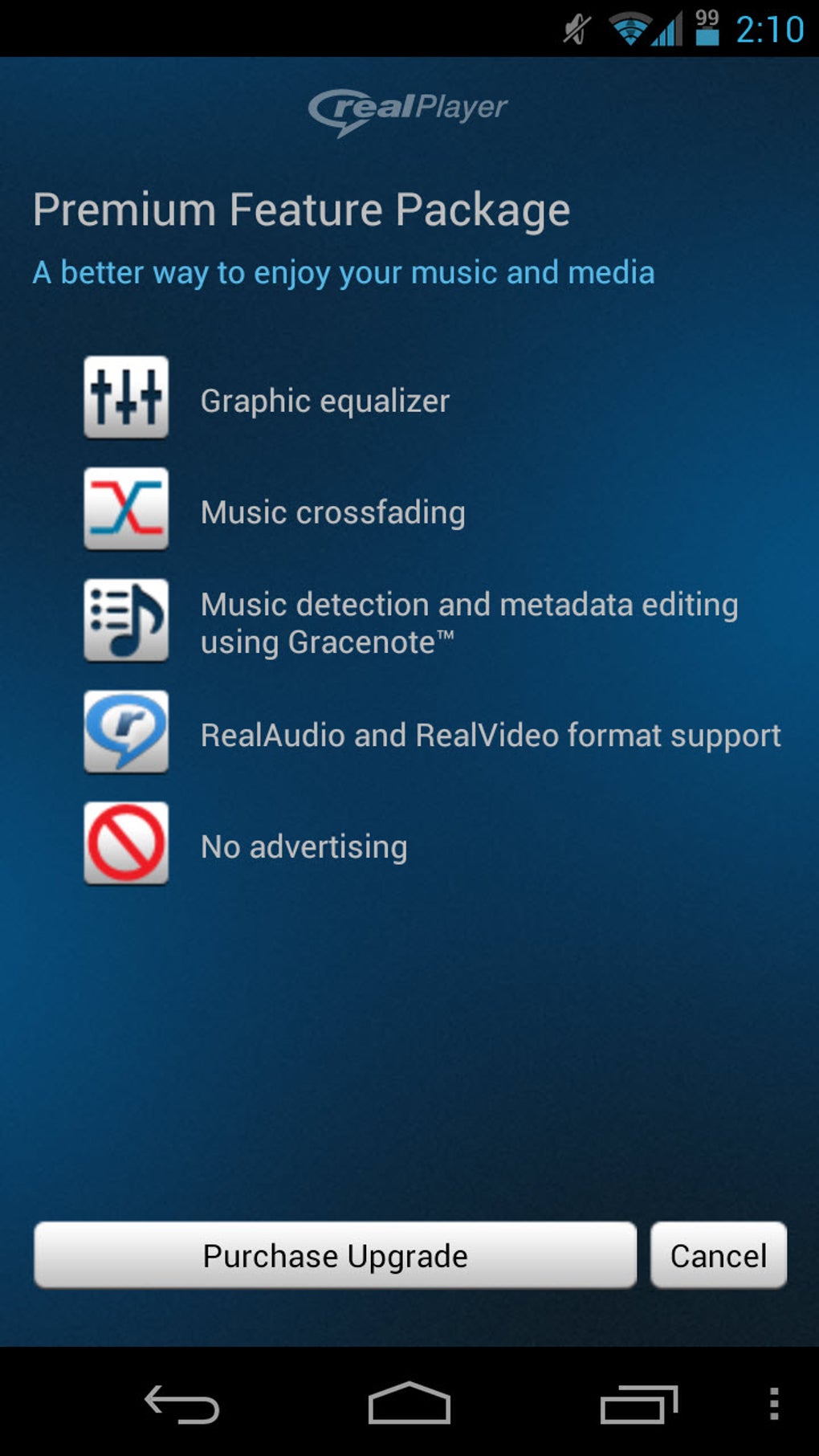
- Subscription-Based Features – Premium tier unlocks advanced capabilities such as unlimited-speed downloads, expanded cloud storage, and off-device streaming.
These features collectively streamline media management, allowing users to organize, access, and enjoy content regardless of location or device. The ability to burn CDs and DVDs adds value for users who prefer physical media distribution.
User Interface, Workflow & Performance
RealPlayer features a clean, intuitive interface with clearly labeled navigation elements, making it accessible to users of varying technical skill levels. The main dashboard provides quick access to media libraries, recent downloads, and playback controls. Users can browse files by category, search by title or artist, and create custom playlists.
The workflow is designed to minimize friction—importing files, syncing devices, and initiating downloads are accomplished through straightforward menus and drag-and-drop functionality. While the developer did not specify resource usage details, general behavior suggests moderate CPU and RAM consumption typical of media players. Performance is expected to remain stable during playback and file transfers, though actual behavior may vary based on system configuration.
The application maintains a responsive interface during media processing tasks. Stability appears consistent across sessions, with no reported issues related to crashes or freezes. The developer did not provide performance benchmarks or detailed system impact metrics.
Compatibility & System Requirements
RealPlayer is available for Windows and macOS operating systems, supporting desktop environments on both platforms. The current version is 21.0.1, with a file size of 89.8 MB. The software was released on May 22, 2024.
Platform compatibility information is limited to these two operating systems, with no details provided on minimum hardware specifications. The developer did not specify exact system requirements, including processor speed, RAM, or disk space beyond the installation size. Compatibility with older OS versions or specific hardware configurations was not mentioned.
Users are advised to ensure their system meets general requirements for running multimedia applications. The software does not appear to be available for Linux or other platforms based on the provided data.
Pros and Cons
Pros
- Supports a wide range of audio and video formats, including proprietary RealMedia files.
- Offers robust cross-device synchronization between PC and mobile devices.
- Provides secure remote access to desktop media libraries.
- Includes cloud backup and offline playback capabilities.
- Enables casting to smart TVs via Chromecast and AirPlay.
- Intuitive interface suitable for both beginners and advanced users.
- Offers a free version with core playback and management features.
Cons
- Advanced features require a paid subscription, which may limit full functionality.
- Exact system requirements were not listed, making compatibility assessment difficult.
- Performance behavior under heavy load or with large libraries was not specified.
- Cloud storage and premium features may incur additional costs over time.
- Interface may feel outdated compared to modern media players.
FAQ Section
Is RealPlayer safe to use?
RealPlayer is a legitimate application developed by RealNetworks, a company with over 20 years of experience in digital media. The software is distributed through official channels, including the developer’s website and app stores. While no software is entirely risk-free, RealNetworks regularly releases updates to address known vulnerabilities. Users are advised to keep the application updated and follow standard cybersecurity practices, such as using antivirus software and avoiding suspicious downloads.
What operating systems does RealPlayer support?
RealPlayer is available for Windows and macOS. The software is not currently available for Linux or other platforms based on the provided information. Users should verify their system’s compatibility before installation.
Can I use RealPlayer without an internet connection?
Yes, RealPlayer supports offline playback. Once videos or music are downloaded or synced, they can be accessed and played without an internet connection. This feature is ideal for travel or environments with limited connectivity.
Is there a free version of RealPlayer?
Yes, a free version is available with core playback and management features. Additional capabilities such as cloud storage, unlimited-speed downloads, and remote access are available through a paid subscription.
How often are updates released for RealPlayer?
Updates are released regularly by RealNetworks to improve performance, fix bugs, and enhance security. Users are encouraged to keep the application up to date to benefit from the latest improvements and protections.
Final Thoughts + CTA
RealPlayer stands out as a feature-rich media player tailored for users seeking a unified solution for managing and enjoying digital content across devices. Its ability to sync media, access remote libraries, and integrate with cloud storage makes it a compelling choice for both casual and power users. While the free version offers solid functionality, the premium tier unlocks advanced tools that enhance productivity and convenience.
The interface remains user-friendly despite its depth of features, and the software demonstrates consistent performance across typical use cases. However, the lack of detailed system requirements may pose challenges for some users. Overall, RealPlayer delivers a reliable, secure, and versatile experience for managing multimedia files.
For those in need of a comprehensive desktop media tool with cross-device capabilities, it is a strong contender. Download RealPlayer now.






.png)
